

Shouldn’t the decision to expand a team of employees be something to celebrate? Increased hiring happens because of increased business, and yet many companies have arduous experiences going through the hiring process. So much of that friction comes down to unplanned costs that slow or stall hiring and onboarding while business leaders scramble to support incoming employees.
Business owners who have an organized plan for hiring costs avoid these troubles in onboarding and retaining new employees. The technology side of a business often has the highest costs for new employees, so understanding what to budget for in advance eliminates many of these headaches.
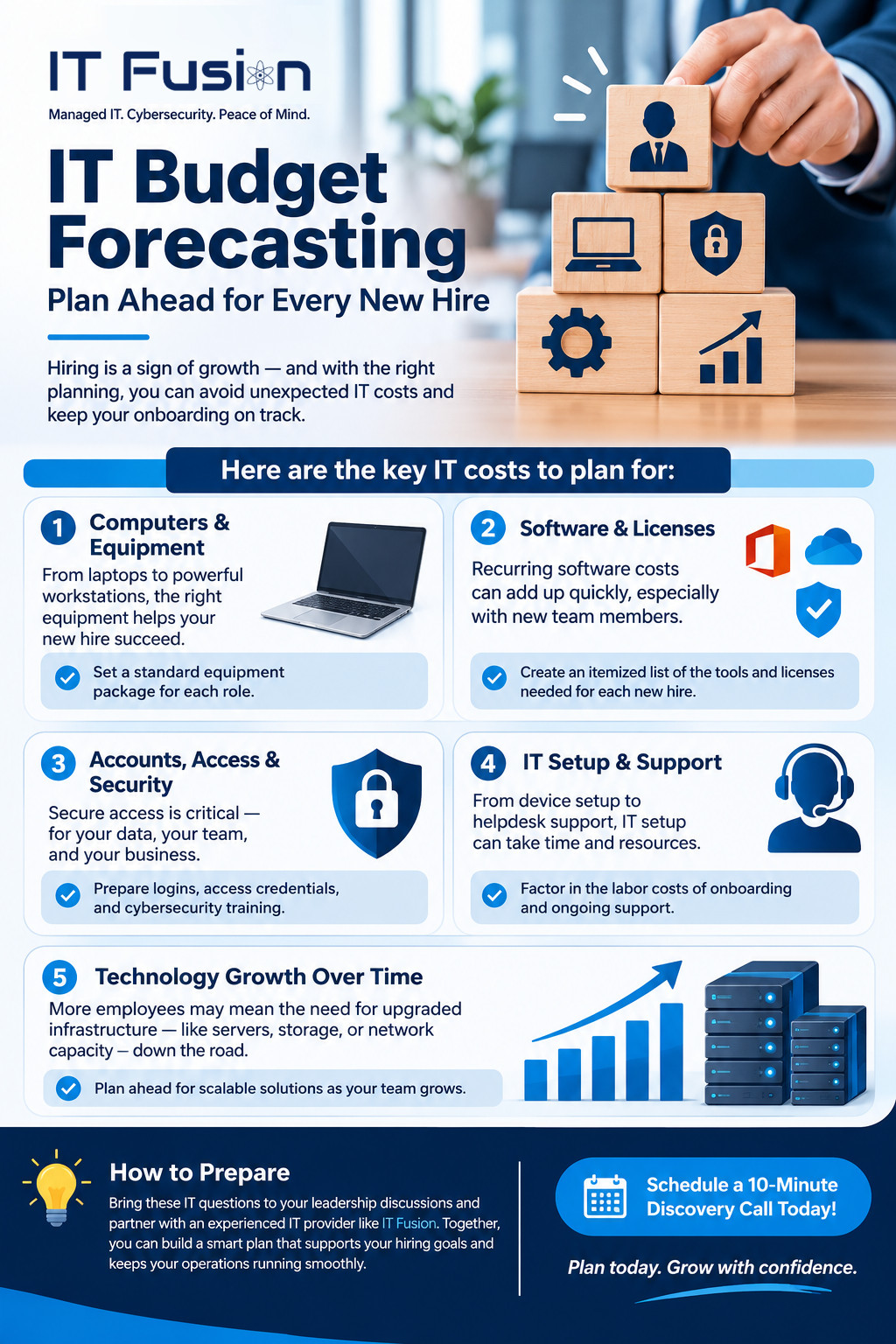
By organizing hiring and onboarding processes around these five costs, you can make personnel growth a sign of success again instead of another plate to keep spinning.
Computers and equipment
This is the most obvious cost for many businesses, but it can also be surprisingly expensive. Depending on the role a new hire fills, you may need to buy a new desktop, laptop, headset, mobile device or workstation.
Some industries also have higher equipment needs than others. For example, certain manufacturing, architecture or engineering programs need powerful graphics processors. Running them on less-capable hardware sets employees up to fail.
Establishing a standard equipment package for each role before you hire will smooth over these budgeting and onboarding concerns.
Software and licenses
Recurring software costs are one of the most reliable budget items on a spreadsheet. You know what tools your employees use and renew them as long as they’re valuable. This line item is so reliable, however, that it can be easy to forget how many little pieces make up that monthly expense.
$20 per month here and $30 per year there add up quickly when you bring a new hire into your processes and tools. Building an itemized list of every recurring software expense a new employee would need protects you from being blindsided by a jump in expenses from one month to the next.
Accounts, access and security
Physical and electronic security are costs, too, but unlike the ones above, getting them wrong can have more serious consequences than frustration or lost productivity. Build the following procedures now. They keep onboarding safe and efficient, and they preserve the zero-trust principles your security should already follow:
- Accounts: Create secure logins for password managers, cloud servers and more, with password resets required upon first login for security.
- Access: Configure the keycards, fobs or other physical access technologies employees need to enter the office, so no one relies on borrowed or temporary credentials.
- Security: Prepare cybersecurity training materials so new employees follow best practices as soon as they are onboarded.
IT setup and support
If you’re partnered with a full-time IT service provider or have internal IT staff, the labor costs of setting up all of the above may not be clearly defined in a budget, but they are a cost. Any use of time, even time already paid for through contracted support or regular salary, is a cost.
When you’re hiring and onboarding multiple employees in a short period, the time and labor costs of this setup can pull resources from existing projects or require additional spending on hourly or contracted support.
You can’t budget for the parts alone.
Budgeting for the support that keeps processes going prevents operations from stalling on the days when new hires join the team.
Technology growth over time
One employee isn’t going to require an overhaul of your network, cabling or storage plan. Ten employees, though? That could become an issue.
The problem is that most businesses aren’t hiring 10+ people in the same week. Even rapid growth is incremental and can creep up on your operations. Knowing ahead of time how many employees will require additional servers or a reworking of IT support keeps you from putting too much personnel weight on processes that can’t support it.
In the same way that you can’t cram 30 employees into a 10-desk office, understanding the point at which your headcount requires tech changes tells you, long before a new employee joins, whether you need to start planning for upgrades.
How to prepare for these issues
Getting ahead of hiring and onboarding tech costs is all about preparation. These tech questions need a seat at the leadership table so everyone understands what it means to bring new talent onto your team.
Building these questions into leadership discussions is the first step, but having an experienced IT service provider like IT Fusion can keep your processes accountable so these tech concerns don’t fall by the wayside.
To start planning for these IT costs, schedule a 10-minute discovery call with IT Fusion so we can analyze how your technology fits your current staff and how our managed IT services can prepare you for future growth.